virus.py#
virus.py
Low-poly virus modeling
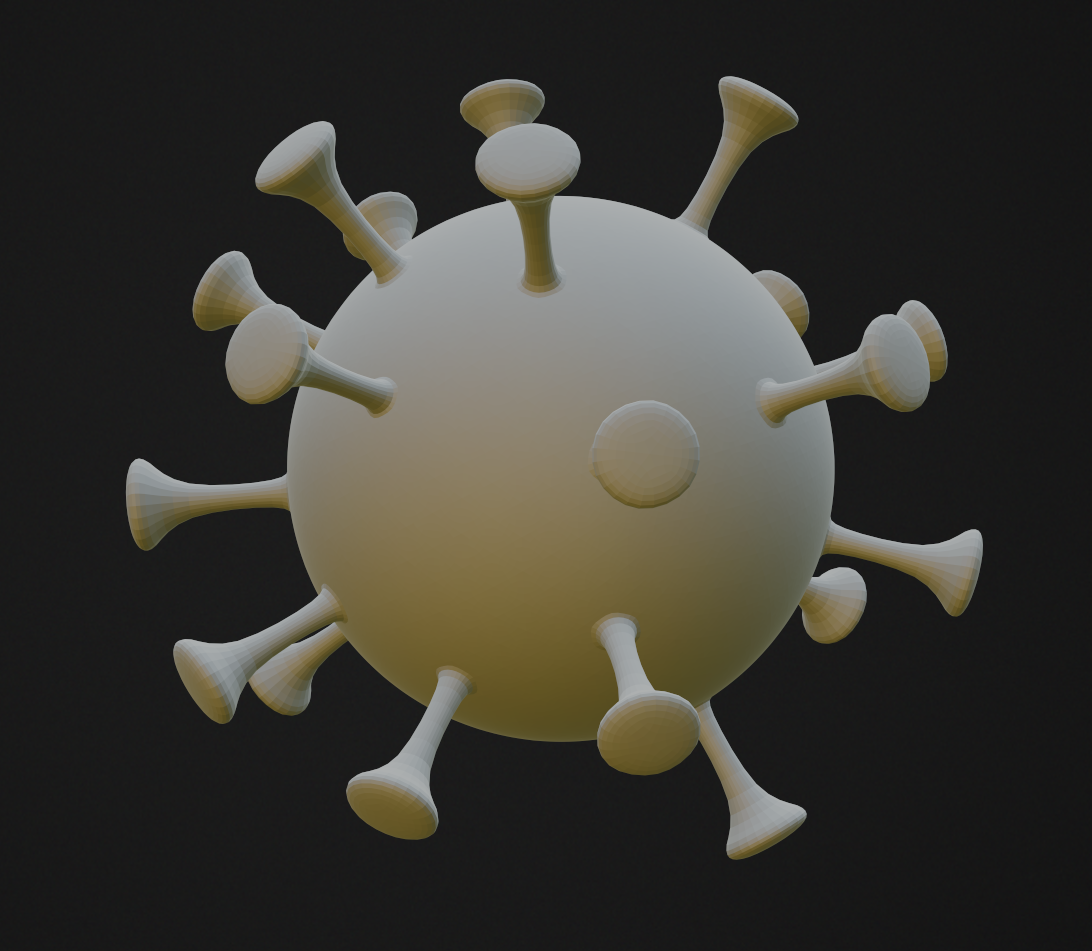
1# Low-poly virus modeling
2from coat import *
3import random
4
5# switch to retopo room
7# get to the select tool
8ui.cmd("$TopToolSelectAndOperate")
9
10# refer the mesh in retopo room, we will change the mesh in retopo room
11mesh = Model.fromRetopo()
12# we can undo the mesh changes by this script, so we drop the state to the undo queue
13mesh.dropUndo()
14
15# clear the mesh
16mesh.clear()
17# create the sphere mesh
18sphere = Mesh.sphere(radius = 10)
19# we insert it into the scene
20mesh += sphere
21
22#now we select random vertices
23n = mesh.vertsCount()
24# the list of vertices to select
25verts = []
26
27for i in range(0, 100):
28 # random vertex index
29 index = random.randint(0, n)
30 # check if the selected vertex is not too close to already selected vertices
31 pos = mesh.getVertex(index)
32 fail = False
33 for j in range(0, len(verts)):
34 # we check distance to already selected vertices
35 if mesh.getVertex(verts[j]).distance(pos) < 5:
36 fail = True
37 break
38 # if not too close we add the vertex to the selection
39 if not fail : verts.append(index)
40# selecting by list is faster than one-by-one
41mesh.setSelectedVertices(verts, [])
42
43# vertex bevelk over the selected vertices, as result we got selected faces
44mesh.bevelOverSelectedVertices(0.5)
45
46# we want to extrude the selected faces, and then scale them, below is the profile for extrusion:[..., [extrusion, scale], ...]
47profile = [[4,1], [1,4], [0.5,1], [0.25, 0.5]]
48
49for r in profile:
50 # we extride selected faces without the actual movement
51 mesh.extrudeSelected()
52 # we move the selected faces along normals
53 mesh.moveSelectedFacesAlongFacesNormals(r[0])
54 # we scale the selected faces
55 mesh.scaleSelectedFacesClusters(r[1])
56# unselect all faces
57mesh.unselectAllFaces()
58#subdivide twice
61# display the mesh without color and wireframe
63
 1     # Low-poly virus modeling
 2     from coat import *
 3     import random
 4
 5     # switch to retopo room
 6     ui.toRoom("Retopo")
 7     # get to the select tool
 8     ui.cmd("$TopToolSelectAndOperate")
 9
10     # refer the mesh in retopo room, we will change the mesh in retopo room
11     mesh = Model.fromRetopo()
12     # we can undo the mesh changes by this script, so we drop the state to the undo queue
13     mesh.dropUndo()
14
15     # clear the mesh
16     mesh.clear()
17     # create the sphere mesh
18     sphere = Mesh.sphere(radius = 10)
19     # we insert it into the scene
20     mesh += sphere
21
22     #now we select random vertices
23     n = mesh.vertsCount()
24     # the list of vertices to select
25     verts = []
26
27     for i in range(0, 100):
28             # random vertex index
29             index = random.randint(0, n)
30             # check if the selected vertex is not too close to already selected vertices
31             pos = mesh.getVertex(index)
32             fail = False
33             for j in range(0, len(verts)):
34                     # we check distance to already selected vertices
35                     if mesh.getVertex(verts[j]).distance(pos) < 5:
36                             fail = True
37                             break
38             # if not too close we add the vertex to the selection
39             if not fail : verts.append(index)
40     # selecting by list is faster than one-by-one
41     mesh.setSelectedVertices(verts, [])
42
43     # vertex bevelk over the selected vertices, as result we got selected faces
44     mesh.bevelOverSelectedVertices(0.5)
45
46     # we want to extrude the selected faces, and then scale them, below is the profile for extrusion:[..., [extrusion, scale], ...]
47     profile = [[4,1], [1,4], [0.5,1], [0.25, 0.5]]
48
49     for r in profile:
50             # we extride selected faces without the actual movement
51             mesh.extrudeSelected()
52             # we move the selected faces along normals
53             mesh.moveSelectedFacesAlongFacesNormals(r[0])
54             # we scale the selected faces
55             mesh.scaleSelectedFacesClusters(r[1])
56     # unselect all faces
57     mesh.unselectAllFaces()
58     #subdivide twice
59     mesh.subdivide(True)
60     mesh.subdivide(True)
61     # display the mesh without color and wireframe
62     mesh.displayOptions(showWireframe=False, showColored=False, smoothView=True)