random_spheres.py#
random_spheres.py
create random spheres in retopo room, then remove one of groups, collapse edges randomly
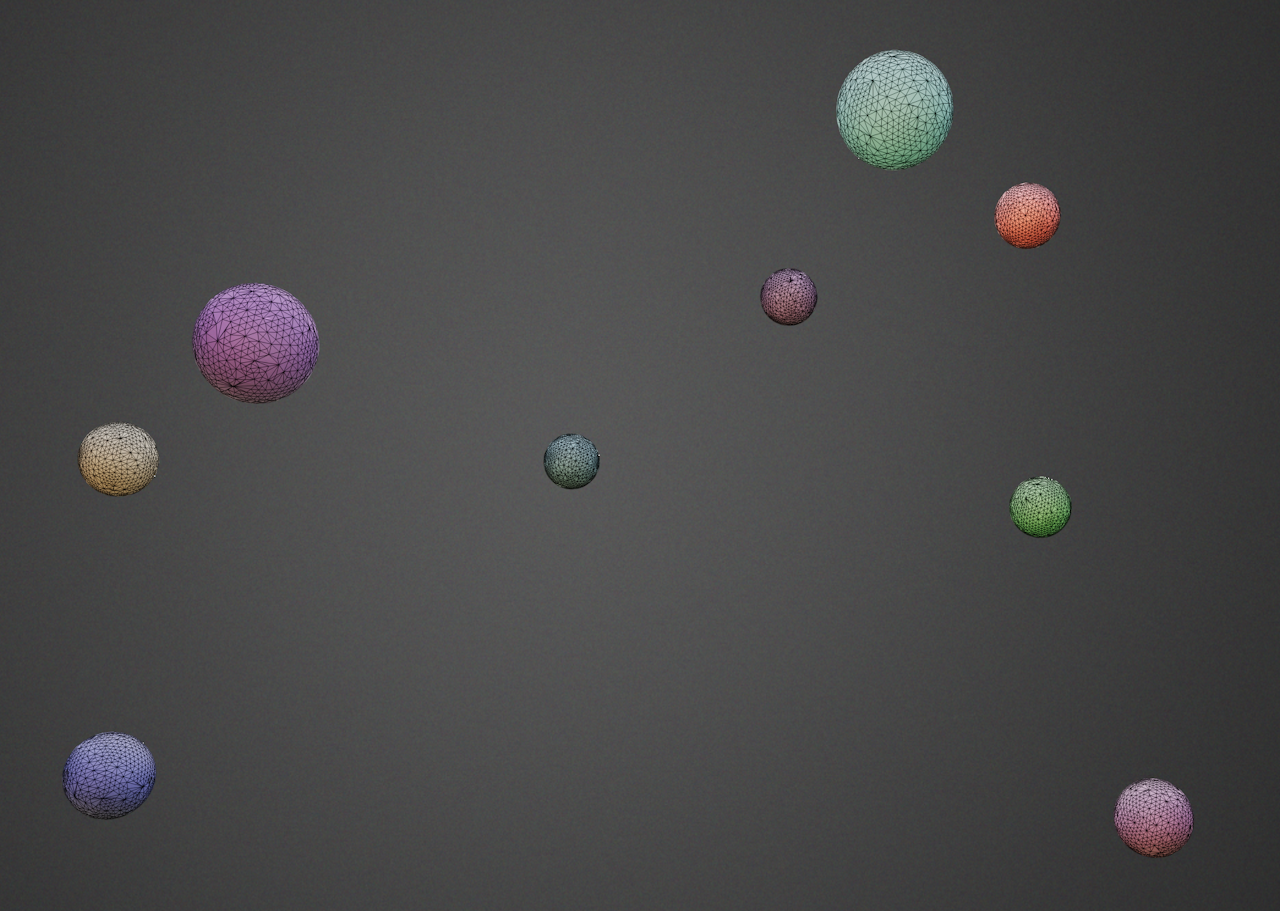
1# create random spheres in retopo room, then remove one of groups, collapse edges randomly
2from coat import *
3import random
4
5# switch to retopo room
7
8# refer the mesh in retopo room, we will change the mesh in retopo room
9mesh = Model.fromRetopo()
10# clear the mesh
11mesh.clear()
12# create the sphere mesh
13sphere = Mesh.sphere(radius = 10)
14
15#place 10 spheres randomply
16for i in range(0, 10):
17 #set name for the retopo group, if we don't set the name, all objects will be in the same group
18 sphere.setObjectName(0, "sphere" + str(i))
19 #insert the sphere mesh into retopo room, and randomply place it
21
22
23
24#remove random group, just for understanding how it works
25mesh.removeObject(4)
26
27#collapse random edges, we do this to explain the access to the mesh
28n = mesh.facesCount()
29for i in range(0, int(n/8)):
30 f = int(random.random() * mesh.facesCount())
31 verts = mesh.getFaceVerts(f)
32 print("verts: " + str(verts))
33 if len(verts) > 0:
34 mesh.collapseEdge(verts[0], verts[2])
35
36# create the cube to demonstrate that you may replace the mesh in one of retopo groups
37cube = Mesh.box(size = vec3(20, 20, 20),nx = 8, ny = 8, nz = 8)
38# we set cube instead of one of spheres
39mesh.setObjectMesh(2, cube)
40mesh.setObjectName(2, "cube")
 1     # create random spheres in retopo room, then remove one of groups, collapse edges randomly
 2     from coat import *
 3     import random
 4
 5     # switch to retopo room
 6     ui.toRoom("Retopo")
 7
 8     # refer the mesh in retopo room, we will change the mesh in retopo room
 9     mesh = Model.fromRetopo()
10     # clear the mesh
11     mesh.clear()
12     # create the sphere mesh
13     sphere = Mesh.sphere(radius = 10)
14
15     #place 10 spheres randomply
16     for i in range(0, 10):
17             #set name for the retopo group, if we don't set the name, all objects will be in the same group
18             sphere.setObjectName(0, "sphere" + str(i))
19             #insert the sphere mesh into retopo room, and randomply place it
20             mesh.addTransformed(sphere, mat4.Translation(vec3.RandNormal()*150))
21
22
23
24     #remove random group, just for understanding how it works
25     mesh.removeObject(4)
26
27     #collapse random edges, we do this to explain the access to the mesh
28     n = mesh.facesCount()
29     for i in range(0, int(n/8)):
30             f = int(random.random() * mesh.facesCount())
31             verts = mesh.getFaceVerts(f)
32             print("verts: " + str(verts))
33             if len(verts) > 0:
34                     mesh.collapseEdge(verts[0], verts[2])
35
36     # create the cube to demonstrate that you may replace the mesh in one of retopo groups
37     cube = Mesh.box(size = vec3(20, 20, 20),nx = 8, ny = 8, nz = 8)
38     # we set cube instead of one of spheres
39     mesh.setObjectMesh(2, cube)
40     mesh.setObjectName(2, "cube")